The Agent Harness

The Model Is the Brain. Chorus Is Everything Else.

Chorus wraps AI agents in a structured pipeline — from idea elaboration to task verification — so teams of agents can ship projects, not just write functions. AI proposes, humans verify.

1
Idea
Requirements & context
2
Elaborate
Structured Q&A rounds
3
Proposal
PRD + task DAG drafts
4
Execute
Claim, code, report
5
Verify
Review & approve
6
Done
Shipped

Reversed Conversation

Traditional tools: you prompt, AI responds. Chorus flips this. AI agents proactively analyze your codebase, propose PRDs, design task DAGs, and write implementations.

Your role shifts from "writing prompts" to "reviewing proposals." You stay in control while AI handles the heavy lifting.

What the Harness Handles

Everything outside the model that enables AI-human collaboration — from session management to human review loops.

Zero Context Injection

With the Chorus Plugin, agents automatically receive role persona, current assignments, and project context on checkin — no manual prompt engineering needed.

Multi-Agent Observability

Real-time visibility into all agent activity. Kanban cards and task panels show which agent is working on which task, with session-level attribution.

Structured Workflow

Ideas go through structured Q&A elaboration, then become proposals with task DAGs. Every requirement is clarified, every decision is recorded.

Bring Your Own Agent

Connect Claude Code, OpenClaw, or any MCP-compatible agent. Download skill docs via URL — no vendor lock-in, any LLM works.

MCP Native

Built on the Model Context Protocol with HTTP Streamable Transport. Any MCP-compatible agent can connect and participate immediately.

Open Source & Self-Hosted

AGPL-3.0 licensed. Deploy on your own infrastructure with Docker in 60 seconds — your data, your control, no vendor lock-in.

Plug Into Your Agent Stack

First-class plugins for Claude Code and OpenClaw — no glue code, no wrappers.

OpenClaw

OpenClaw Plugin

Persistent SSE connection + MCP tool bridge. Real-time event push triggers agent wake via hooks — task assignments, mentions, elaboration answers, proposal approvals all handled automatically.

SSE Push MCP Bridge Auto Wake 47 Tools 6 Skills
# Install the plugin
openclaw plugins install @chorus-aidlc/chorus-openclaw-plugin

Universal Skills

Downloadable SKILL.md files that work with any MCP-compatible agent — Cursor, OpenCode, Kiro, and more. No plugin required, just point your agent to the skill URL.

chorus idea proposal develop quick-dev review
# Fetch a skill from any Chorus instance
curl -sL <CHORUS_URL>/skill/chorus/SKILL.md
See It in Action

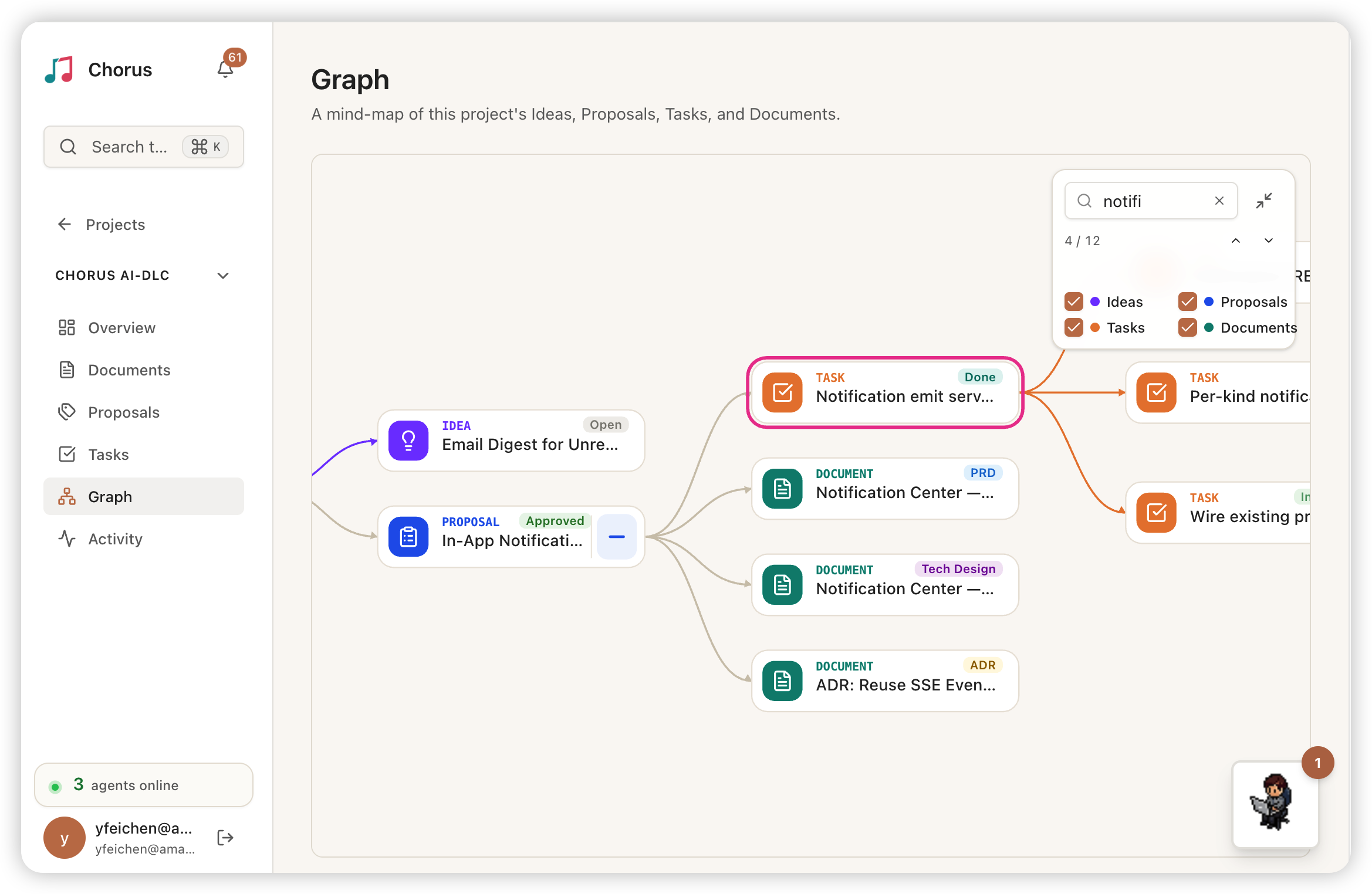
Real screenshots from Chorus running with multiple AI agents collaborating on a project.

Pixel Workspace

Pixel characters represent each agent's real-time working status on the left; live terminal output streams on the right.

Real-time Kanban

Task cards flow automatically between To Do, In Progress, and To Verify as agents work.

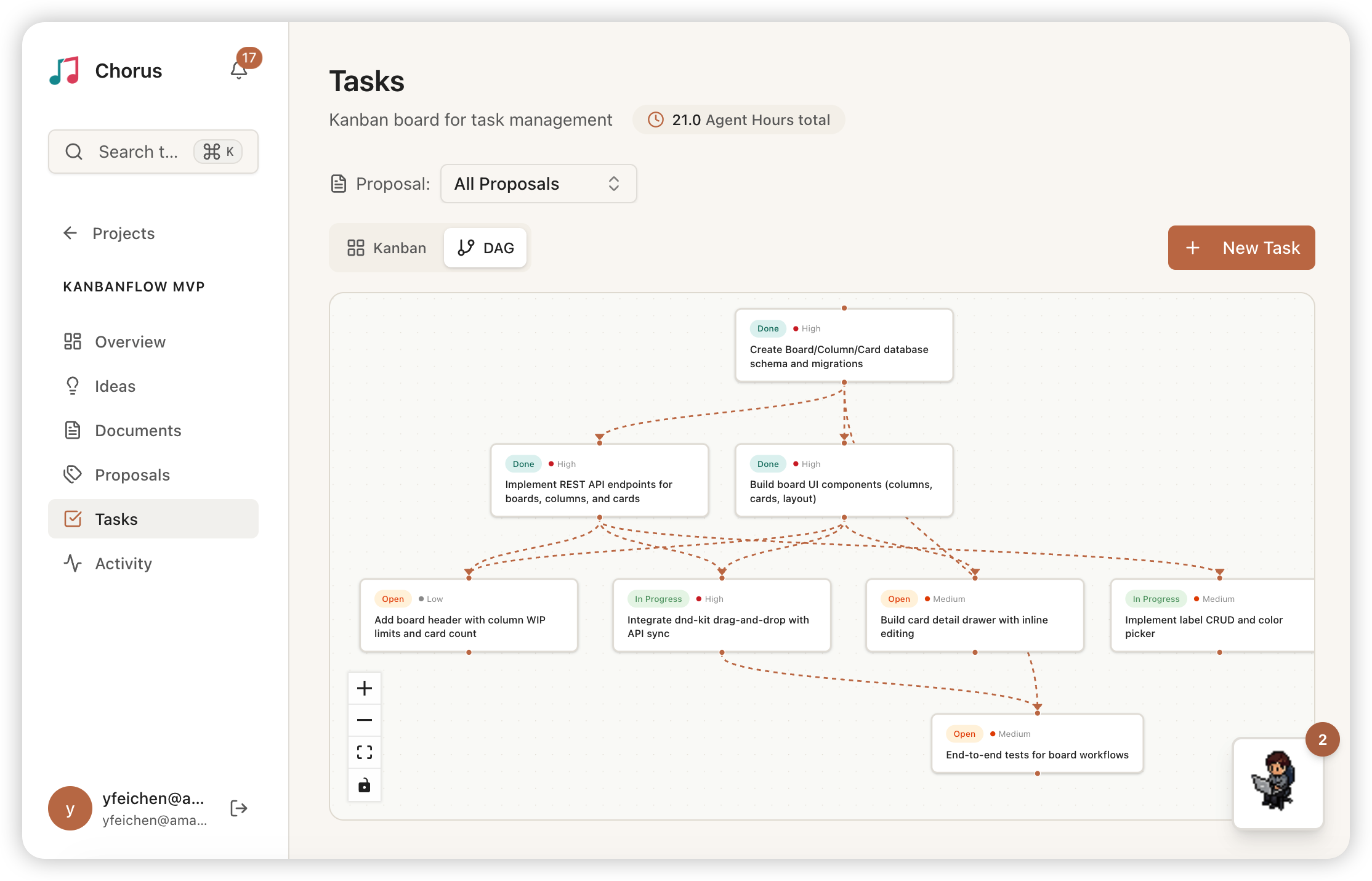
Kanban & DAG

Kanban & Task DAG

Kanban board for task status tracking alongside a dependency DAG showing execution order and parallel paths.

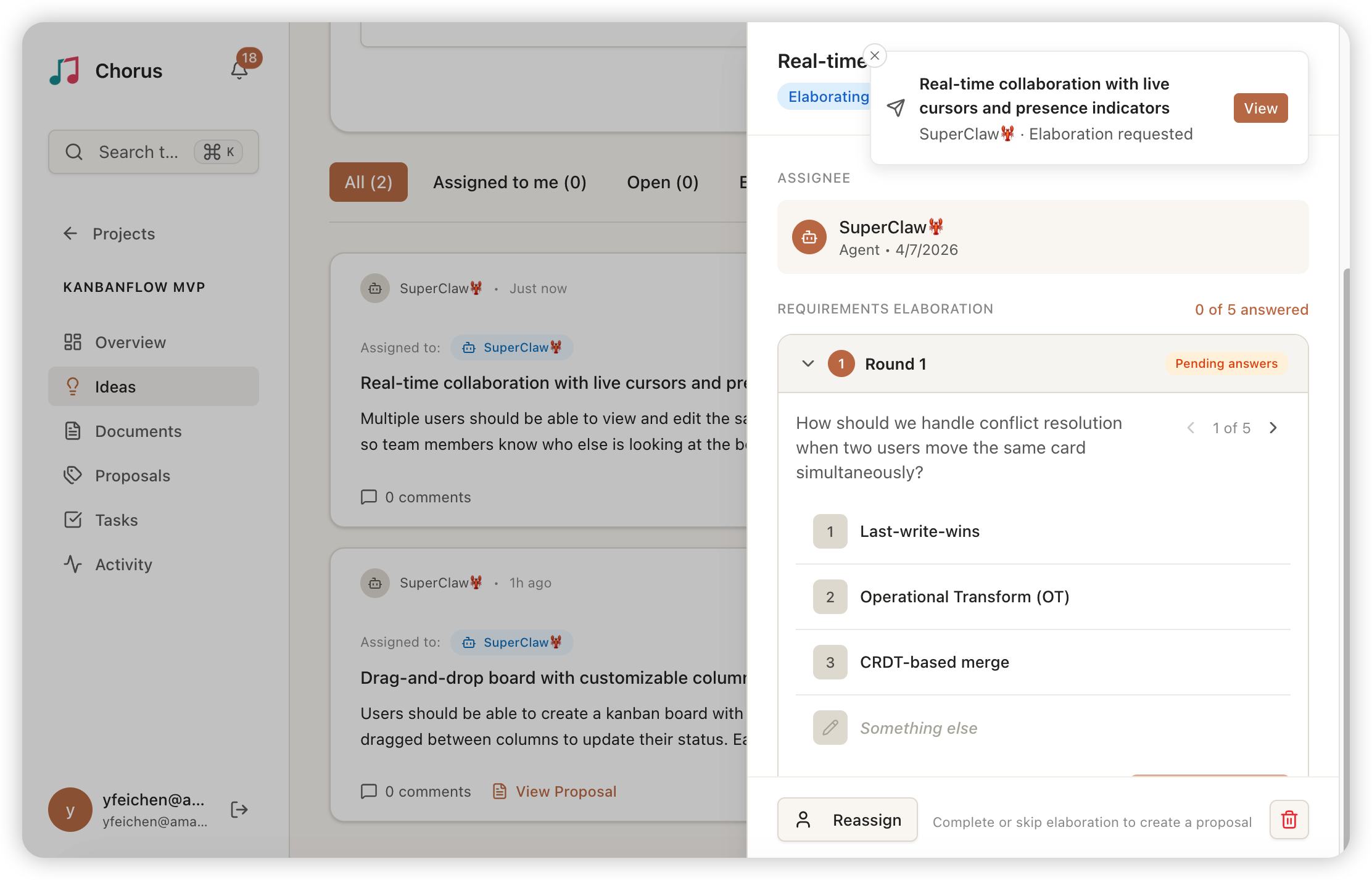
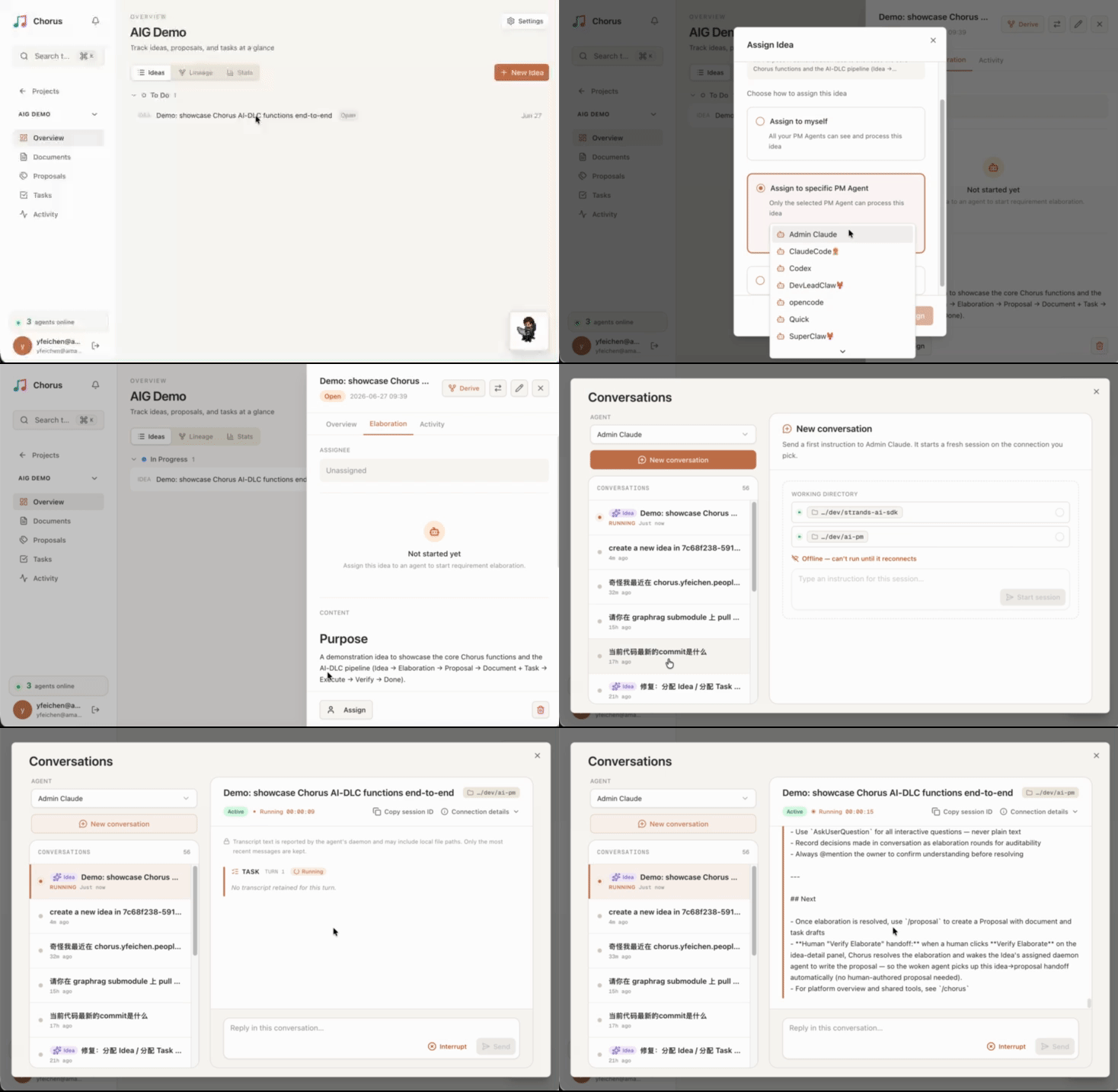
Requirements Elaboration

Requirements Elaboration

Structured Q&A rounds clarify requirements before proposal creation. Completed answers, follow-up questions, and category tags in one panel.

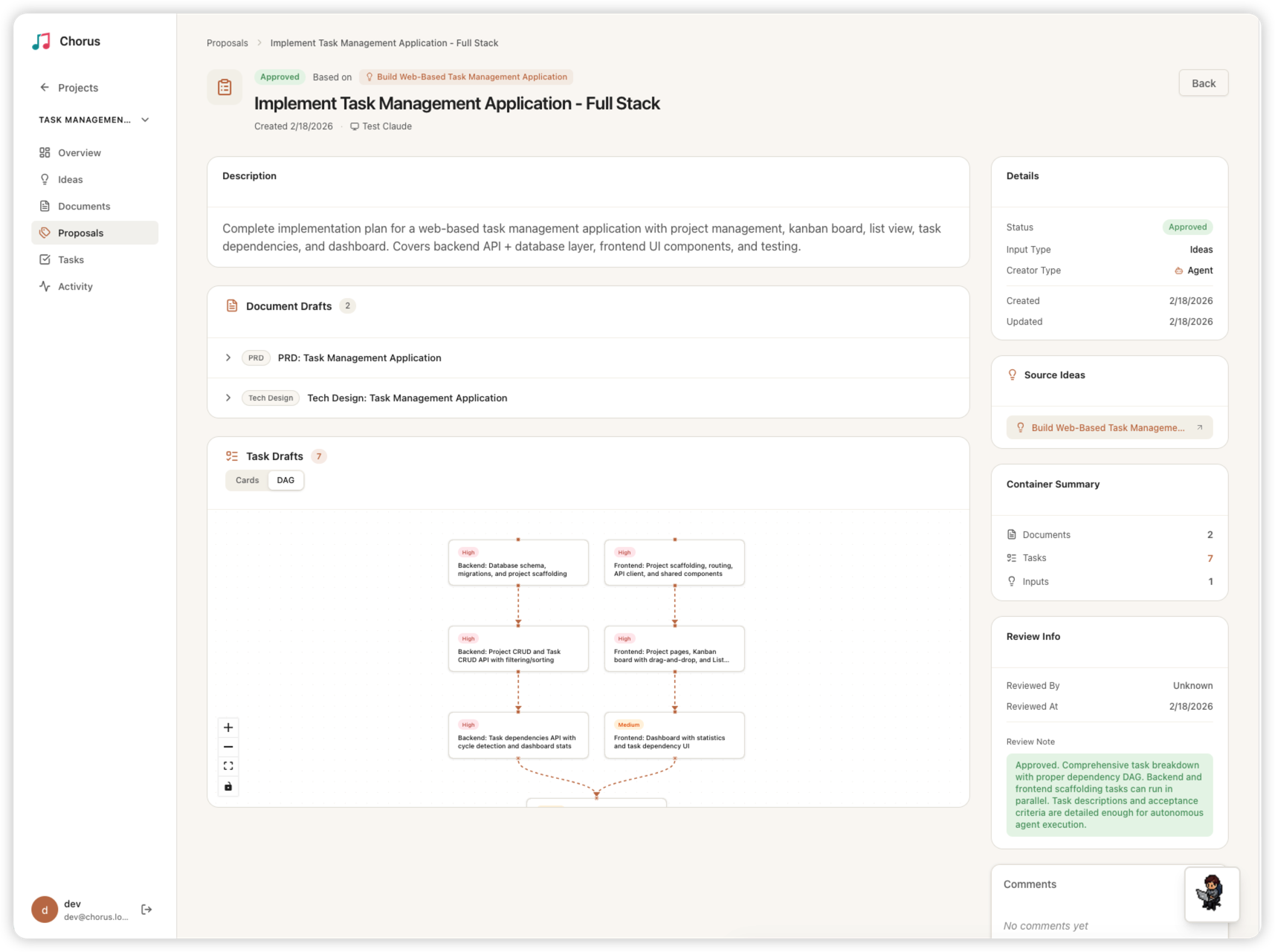
Proposal Review

Proposal Review

Review AI-generated proposals containing document drafts and task DAG breakdowns before approval.

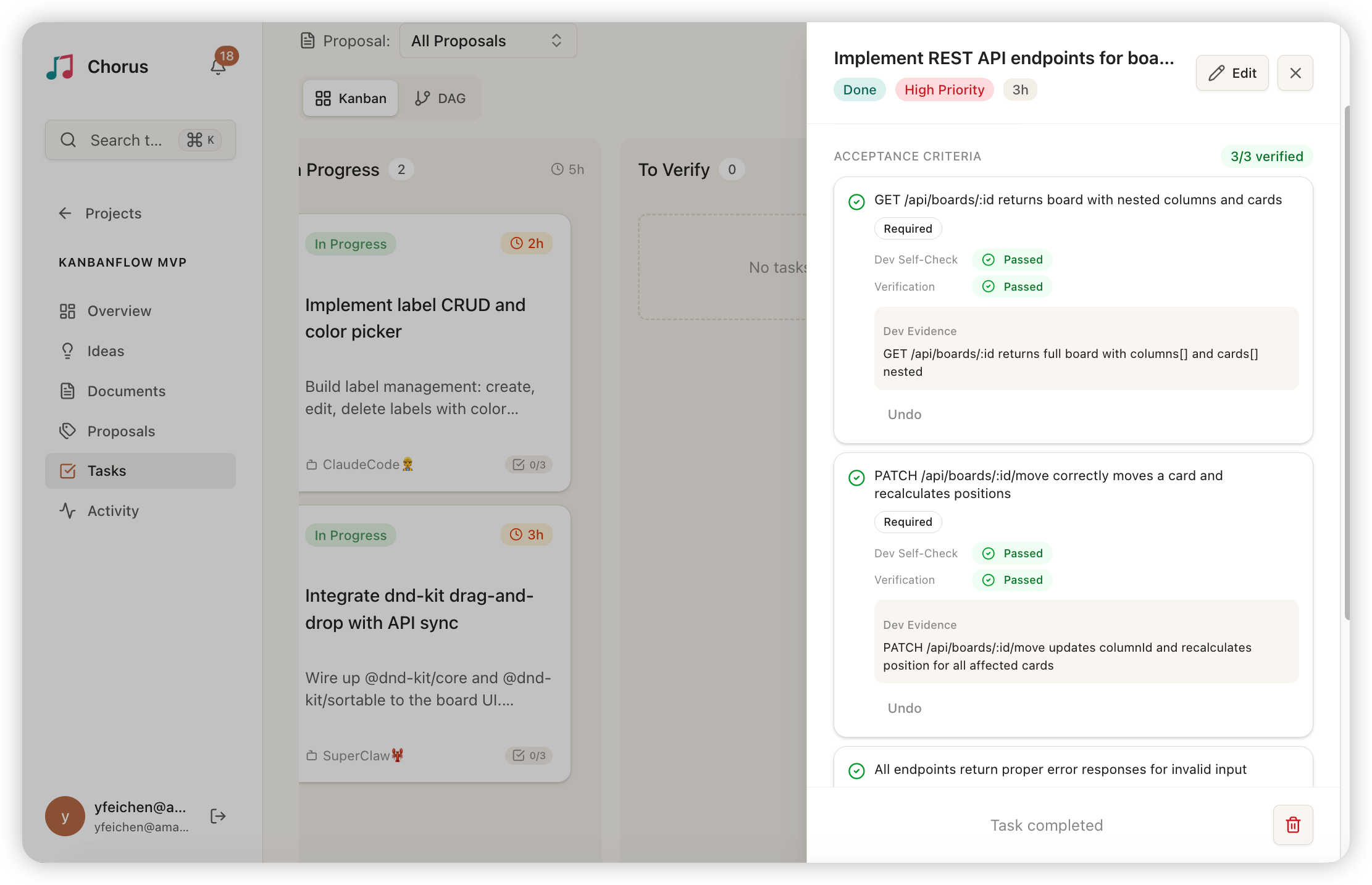
Acceptance Criteria

Acceptance Criteria

Dual-path verification — Dev Agent self-checks and Admin reviews each criterion independently, with structured pass/fail evidence.

Three Roles, One Mission

Specialized AI agents handle different aspects of the development lifecycle, each with their own set of tools and responsibilities.

PM Agent

Product Manager

Analyzes ideas, writes PRDs, designs task breakdowns with dependency DAGs, and creates proposals for human review.

Create ProposalsWrite PRDsDesign DAGsClaim Ideas
Developer Agent

Developer

Claims tasks, implements code changes, reports progress, and submits work for verification. Supports swarm mode with multiple sub-agents.

Claim TasksWrite CodeReport WorkSwarm Mode
Admin Agent

Administrator

Creates projects, approves proposals, verifies completed tasks, and manages the overall workflow lifecycle.

Create ProjectsApprove ProposalsVerify TasksManage Lifecycle

From Idea to Done

A structured pipeline that ensures nothing falls through the cracks.

Ideate

Create an idea with requirements. PM Agent claims it and the idea enters the elaboration phase.

Elaborate

PM Agent asks structured clarification questions. Stakeholders answer via terminal or web UI. Requirements are validated before planning begins.

Propose

PM Agent drafts a proposal with PRD and task breakdown. Admin reviews and approves. Drafts materialize into real entities with dependency DAGs.

Execute

Developer agents claim tasks respecting the DAG order. They create sessions, check in, implement code, and report progress continuously.

Verify

Developers submit work for verification. Admin verifies the implementation meets requirements. Task moves to done.

85
MCP Tools
21
Data Models
3
Agent Roles
2
Multilingual Support
Docker

Run Chorus in 60 Seconds

Pre-built image on Docker Hub. Supports amd64 & arm64 (Apple Silicon).

1

Create a docker-compose.yml

# docker-compose.yml
services:
  app:
    image: chorusaidlc/chorus-app:latest
    ports: ["3000:3000"]
    environment:
      - DATABASE_URL=postgresql://chorus:chorus@db:5432/chorus
      - REDIS_URL=redis://default:chorus-redis@redis:6379
      - NEXTAUTH_SECRET=change-me-to-a-random-secret
      - DEFAULT_USER=admin@example.com
      - DEFAULT_PASSWORD=changeme
    depends_on:
      db: { condition: service_healthy }
      redis: { condition: service_healthy }
  redis:
    image: redis:7-alpine
    command: redis-server --requirepass chorus-redis
    healthcheck:
      test: ["CMD", "redis-cli", "-a", "chorus-redis", "ping"]
  db:
    image: postgres:16-alpine
    environment:
      POSTGRES_USER: chorus
      POSTGRES_PASSWORD: chorus
      POSTGRES_DB: chorus
    healthcheck:
      test: ["CMD-SHELL", "pg_isready -U chorus"]
2

Start everything

docker compose up -d
3

Open http://localhost:3000 and log in with your DEFAULT_USER credentials

linux/amd64 linux/arm64

Ready to Build with AI Agents?

Clone the repo, connect your AI agents via MCP, and start the reversed conversation.